Double win: Reduced cost + higher conversion
- 24%
Task time reduction
+ 3%
Conversion rate
Task time reduction and a higher conversion rate for closing deals
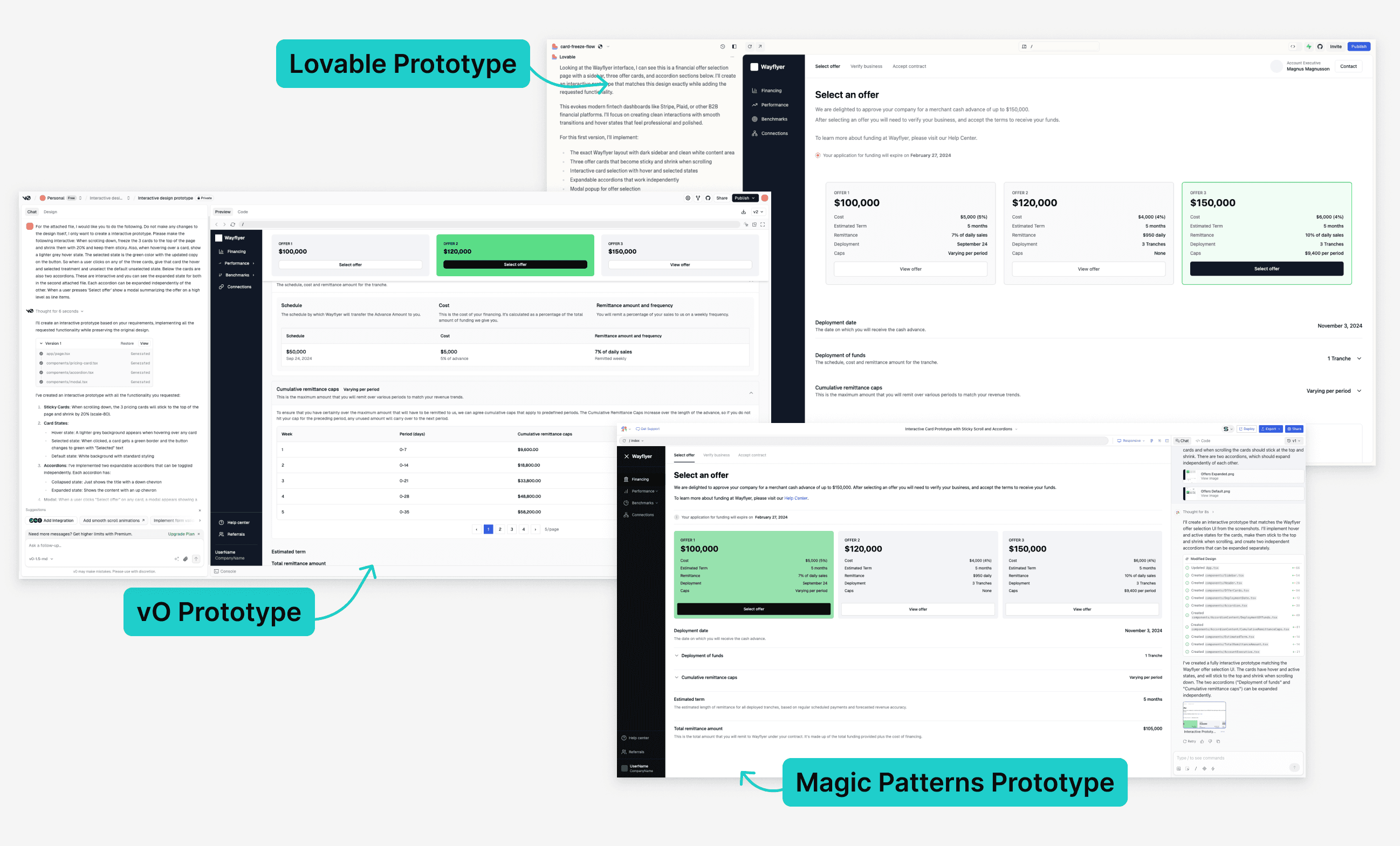
A first version of how Wayflyer displays offers for funding in their application was live a limited amount of customers. In this release we aimed to make it available for all customers and to reduce the manual labor our internal staff had to do to showcase the offers to our customers. In this project I made use of many AI tools to enhance my workflows, from ChatGPT and Gemini to help with early discovery, copy and iterations, to Lovable, Magic Patterns and v0 to help define the interaction design.
1 month
Duration
Main designer in crossfunctional team
Role
Wayflyer Ltd
Company
Problem
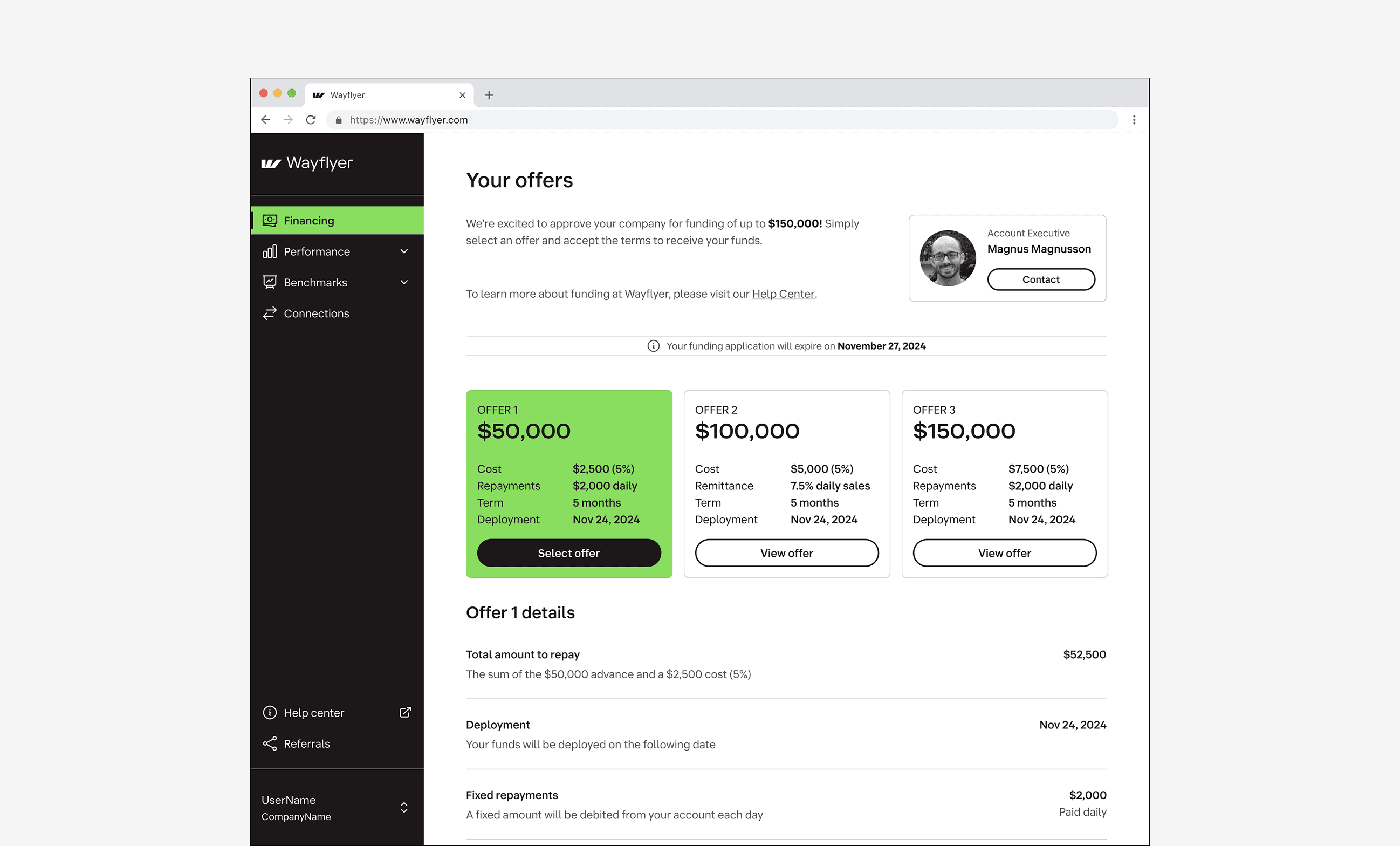
In the first version the card set up to see the available funding offers lacked details, so it was hard to get a first impression of the difference between the offers. A recording from datadog showing a real customer interaction made that very clear. It showed the customer clicking back and forth, trying to find the differences.
Besides this, our staff also spend a lot of time creating the offer presentation themselves, since there was no proper support yet to publish all types of offers. This project also aimed to reduce that time, so that offers would reach our customers quicker.
Discovery
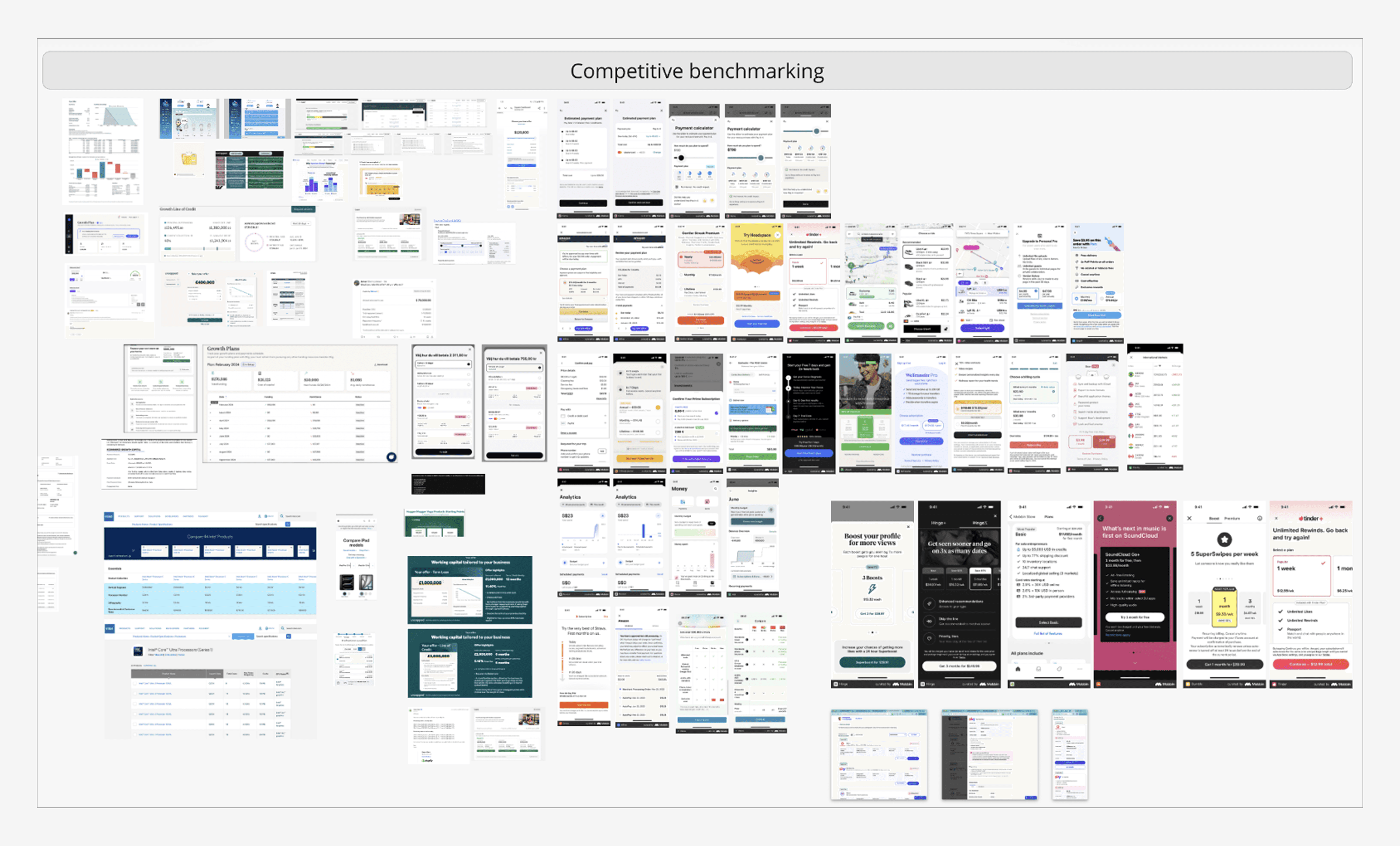
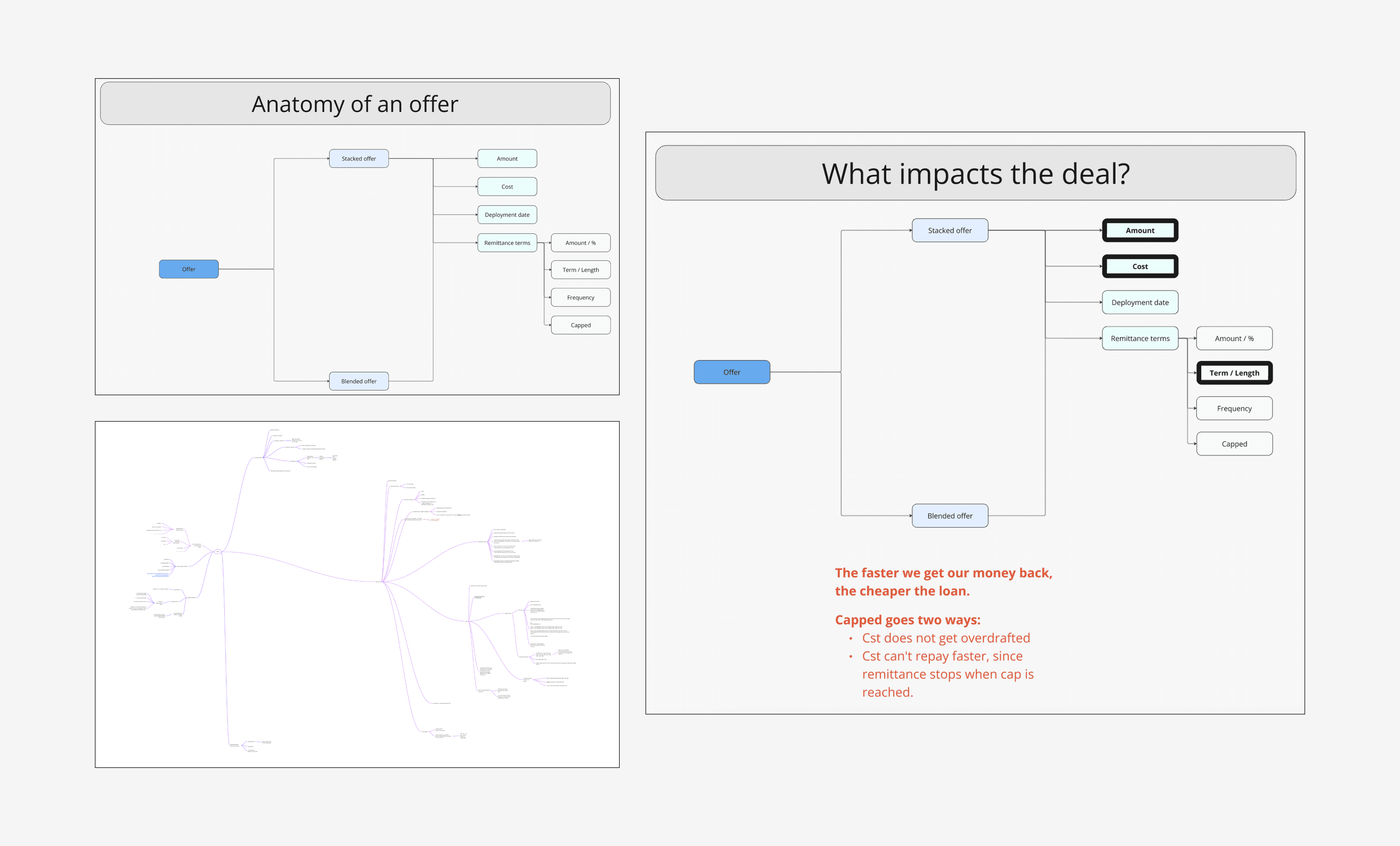
I started by understanding the product and the current experience for offers in the customer application. I also did a competitive benchmark analysis to better understand the mental model of our customers.
Iterations
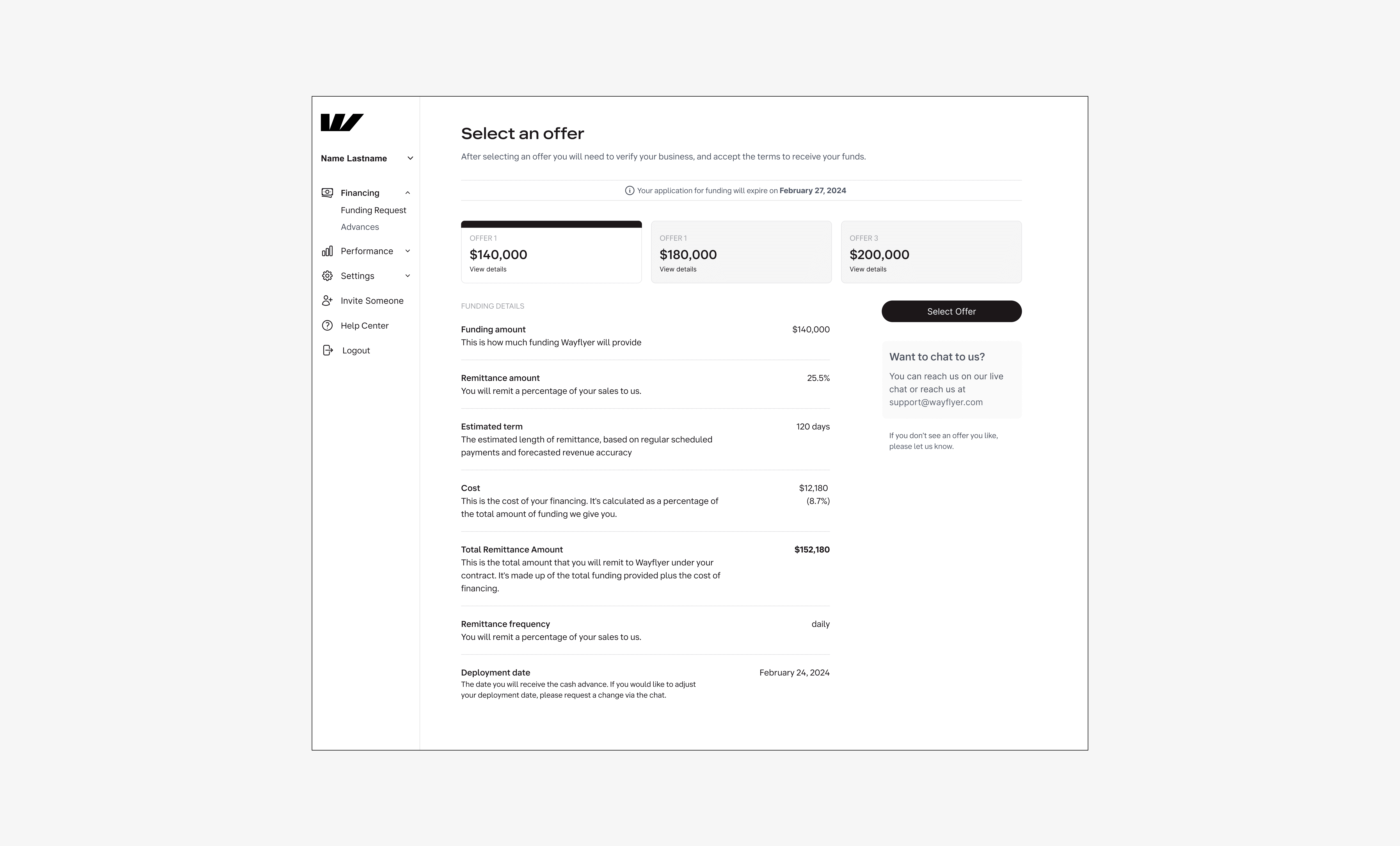
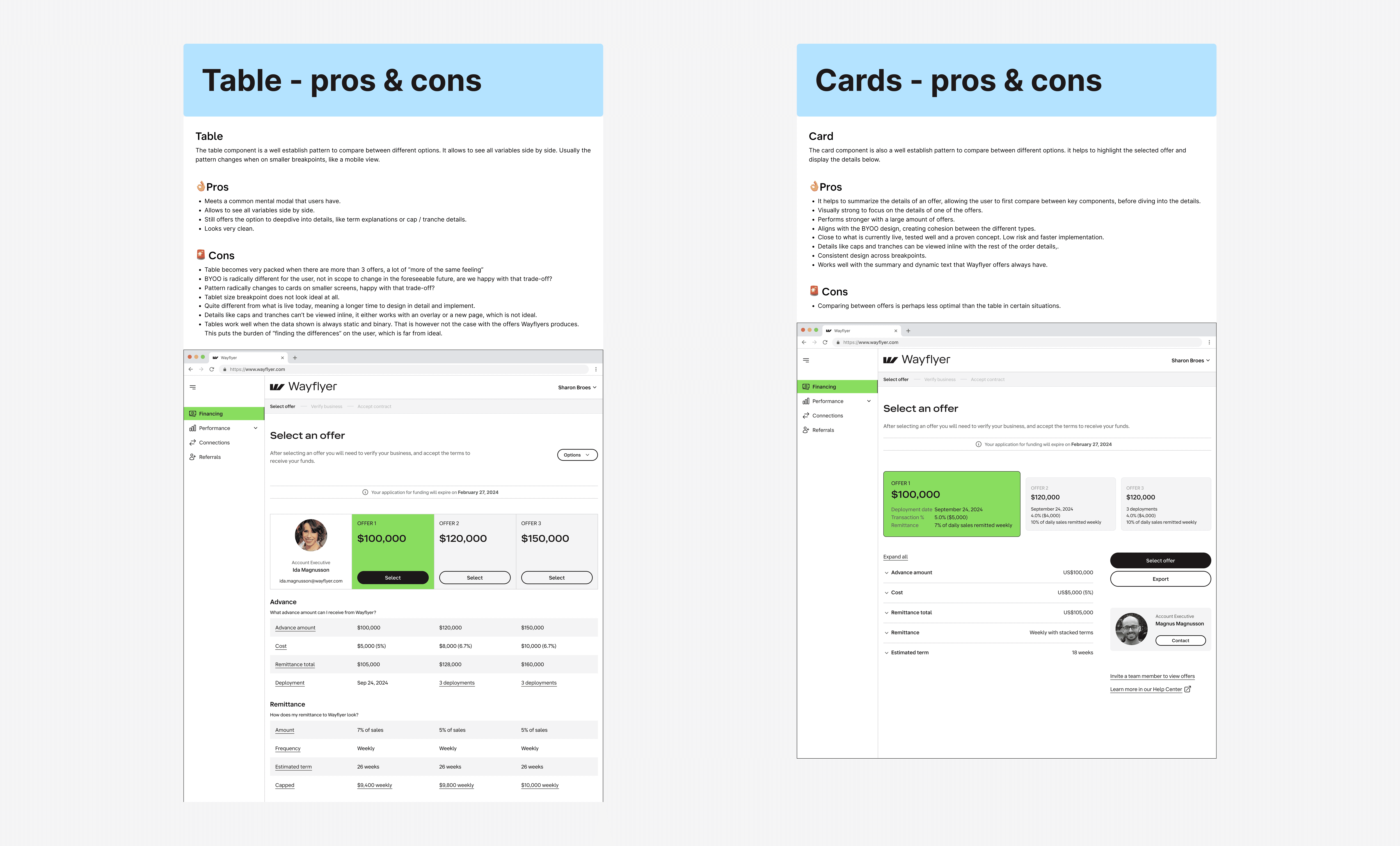
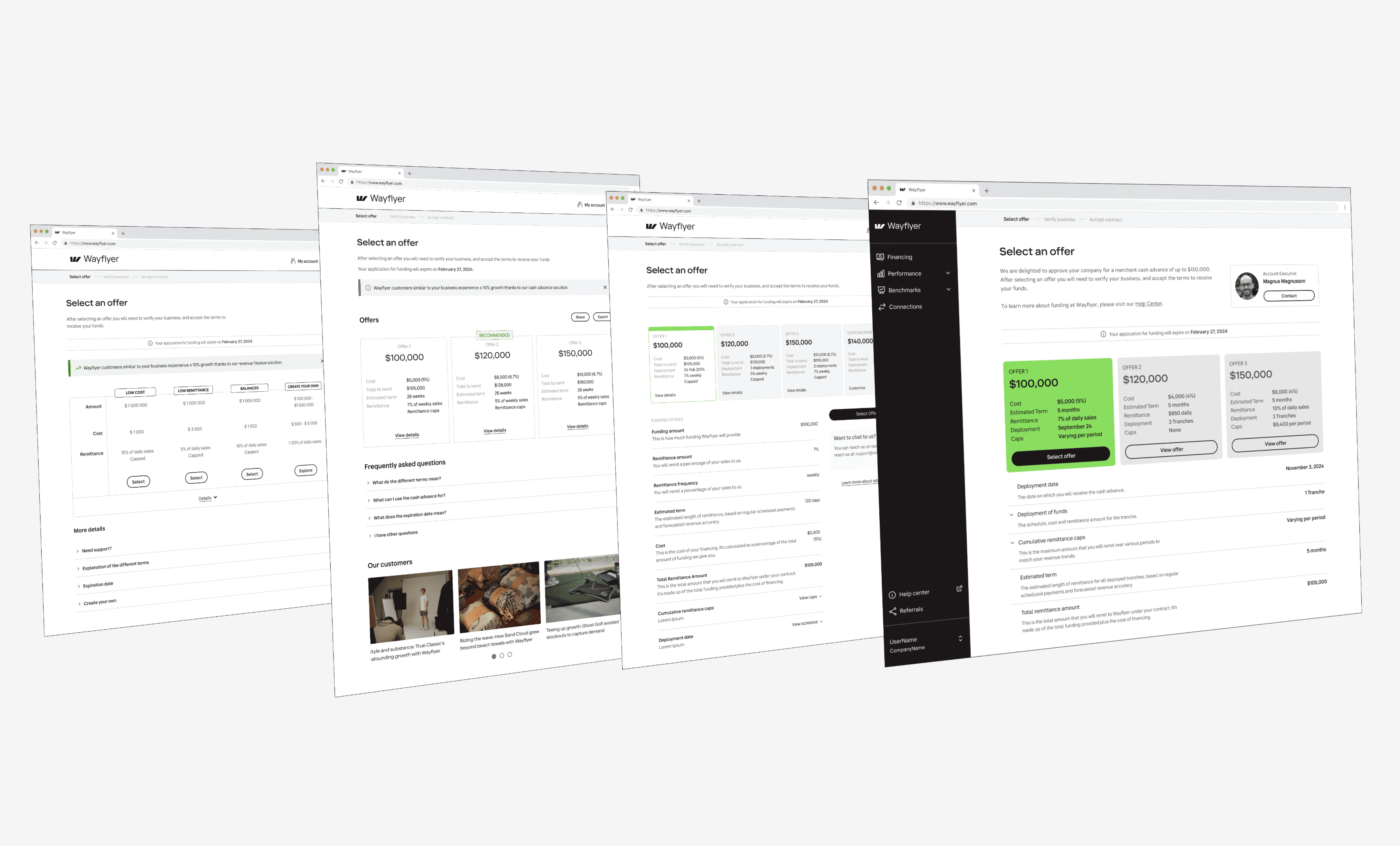
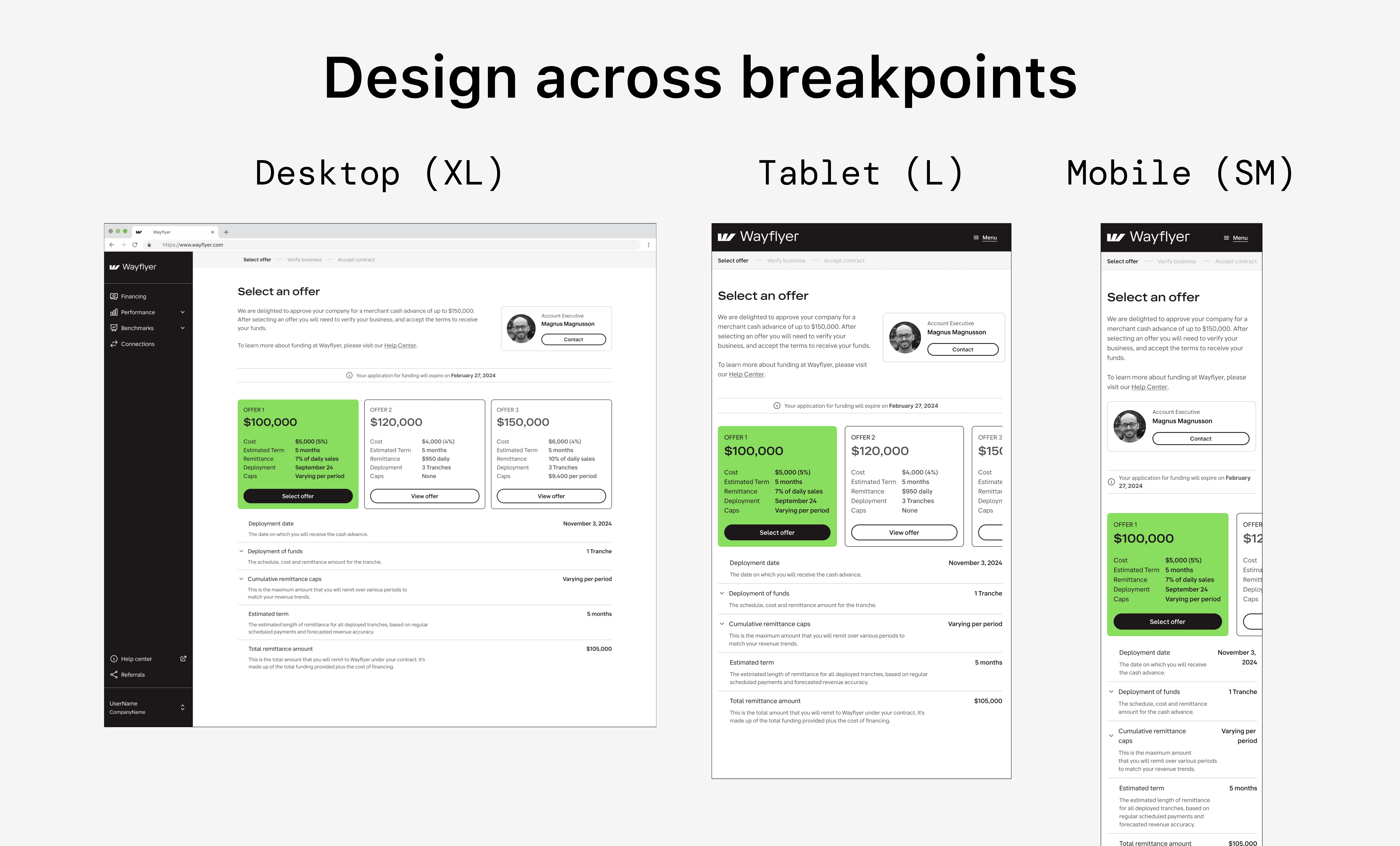
After gaining these insights I started exploritory designs, where initially I did not consider constraints to foster my creativity. My main explorations were around changing the base design from cards to a table view, since tables are conventionally used to compare different offers side by side. In the end, also after gaining feedback from other designers in the company, I opted to stay with the cards. In these situations it is helpful to have a pros and cons list to consider each variant.
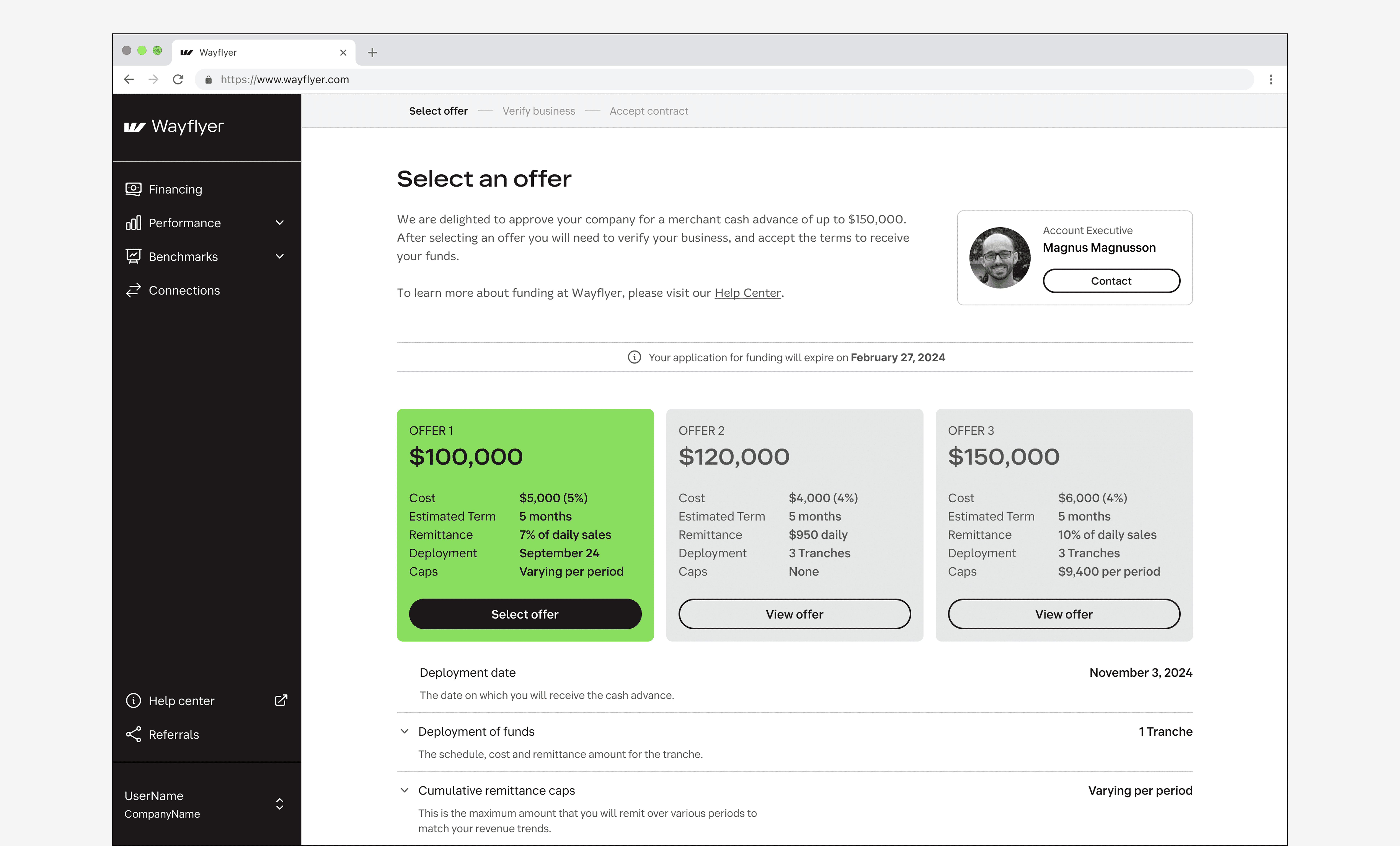
The new cards do a good job of showing on a high level what the difference is between the offers. Since each offer can be very different from the next, a table pattern would become quite unruly fast. With the card setup we had more flexibility to show the different details per offer.
Solution
The final solution stayed relatively close to the original card design, but with important differences. First, the cards now hold a summary of the offers, giving the customer an initial impression of what is available to them and what the key differences are. I also added card interactions where they stick to the top of the screen and shrink a little, so as to not loose the overview, but still have most of the screen real estate available to view the details.
With this design implementation, the staff could also spend less time on crafting their offers and sharing those with their customers via email or a presentation. Instead, they can now directly publish the offers to the customer with all possible functionality for the different offer types. This not only saves time, but creates a consistent customer experience when interacting with Wayflyer, reducing task time with 24% overall. The contact button was also a welcome addition, showing to the customer that their Sales Representative is only a click away to contact and discuss the offers. For the interaction design I used different AI tools to explore what time of interactions we wanted with the cards and the scrolling. Tools like Lovable, Magic Patterns, v0 (Vercel) helped to gain mutual understanding around the interaction design we wanted to achieve. Using different tools can help refine the iteration process, but in general I prefer the quality Magic Patterns and Vercel provide. Lovable for example had a lot of issues with the sticky cards, which the others did not. The prompt used for all three AIs was, including uploaded images from Figma: 'For the attached file, I would like you to do the following. Do not make any changes to the design itself, I only want to create a interactive prototype. Please make the following interactive: When scrolling down, freeze the 3 cards to the top of the page and shrink them with 20% and keep them sticky. Also, when hovering over a card, show a lighter grey hover state. The selected state is the green color with the updated copy on the button. So when a user clicks on any of the three cards, give that card the hover and selected treatment and unselect the default unselected state. Below the cards are also two accordions. These are interactive and you can see the expanded state for both in the second attached file. Each accordion can be expanded independently of the other. When a user presses 'Select offer' show a modal summarizing the offer on a high level as line items.'
Learnings
During my design explorations I explored additional options to the feature that could increase the acceptance rate of an offer, for example with social proof options and adding an export option. Whilst it is important to keep the project within the set timeline and scope, it is also important to capture these insights and find a place to add those in the backlog.
Thanks to a good collaboration with the PM, these items are now in the design backlog, and I plan to keep highlighting the value of these additions in future planning sessions.
Next steps
During the discovery phase, we identified that a calculator solution would clearly show customers how the cost increases with a higher funding amount. However, its complexity to implement would have significantly delayed our timeline.
Working closely with the project PM, we decided to roll out the design improvements highlighted in this case study while further exploring the ideal calculator experience for our customers in the meantime. The video below showcases two distinct design concepts, offering a glimpse into potential future implementations. Stay tuned for my next case study as development continues.