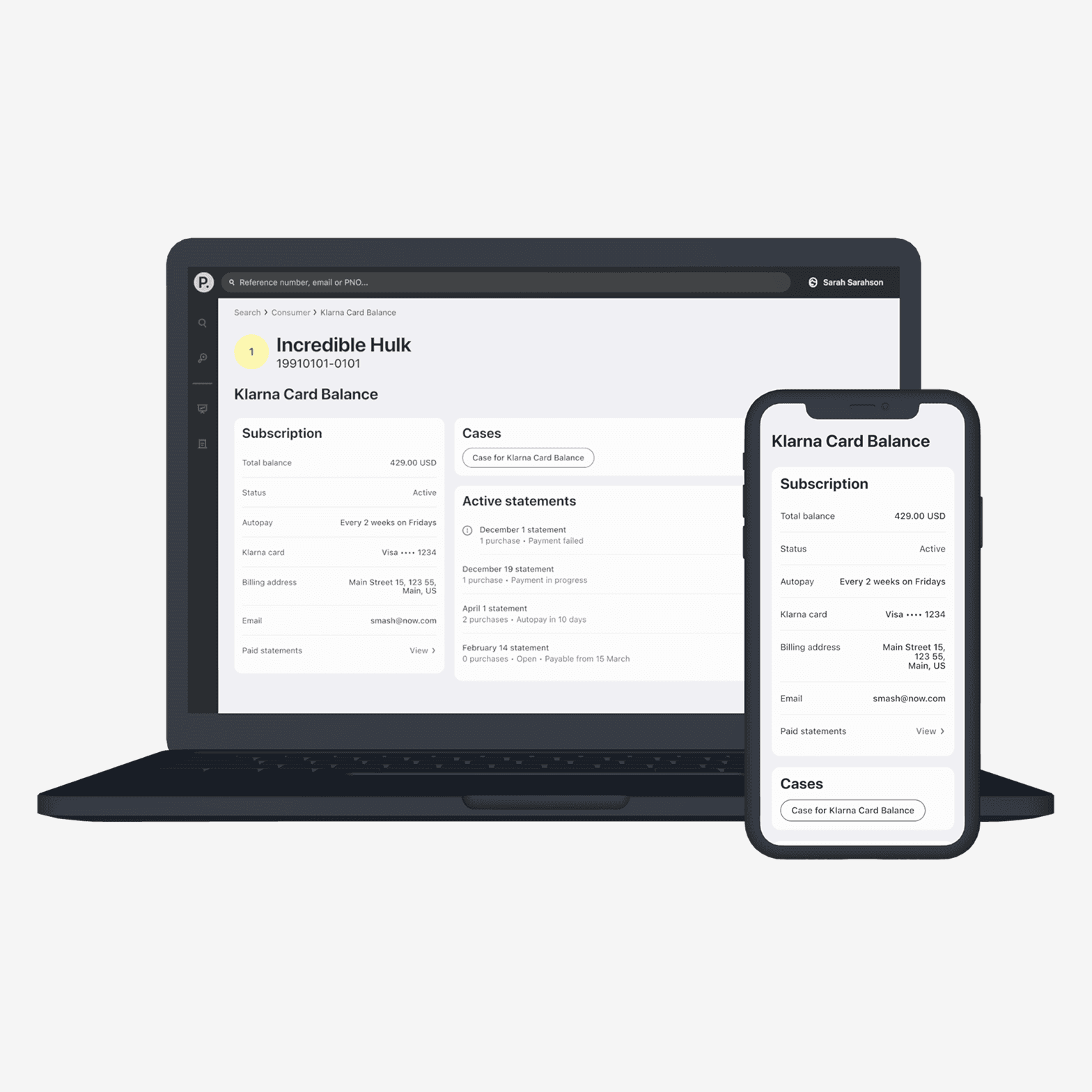
Removing ambiguity in Customer Support
- $80k
Saved costs
91%
CSAT Score
A picture speaks louder than a 1000 words
To better provide support to our customers, we wanted to enable screensharing between our customers and Customer Support Agents. Afterall, it is easier to show what you mean than having to explain to someone over chat, phone or email.
1 month
Duration
Main designer in crossfunctional team
Role
Klarna AB
Company
Problem
Specially in the US we noticed that there was miscommunication between the customer and the Customer Support agent. Some customers wanted to pay their bills by phone or cash and were wondering how to manage the app. Since the customer was not familiar with managing a payment in the app, it could take the agent quite a while to explain things over phone, email or chat. Therefore a pilot was started to trial screensharing in the Klarna app, before commiting to a full scale implementation across all markets.
I was the sole designer across the project, working closely with the PM and engineers. I also worked closely with the designers in charge of the Klarna Design System to ensure I used the correct components in the app. I also worked with legal and a copywriter to get the messaging for this just right.
Discovery
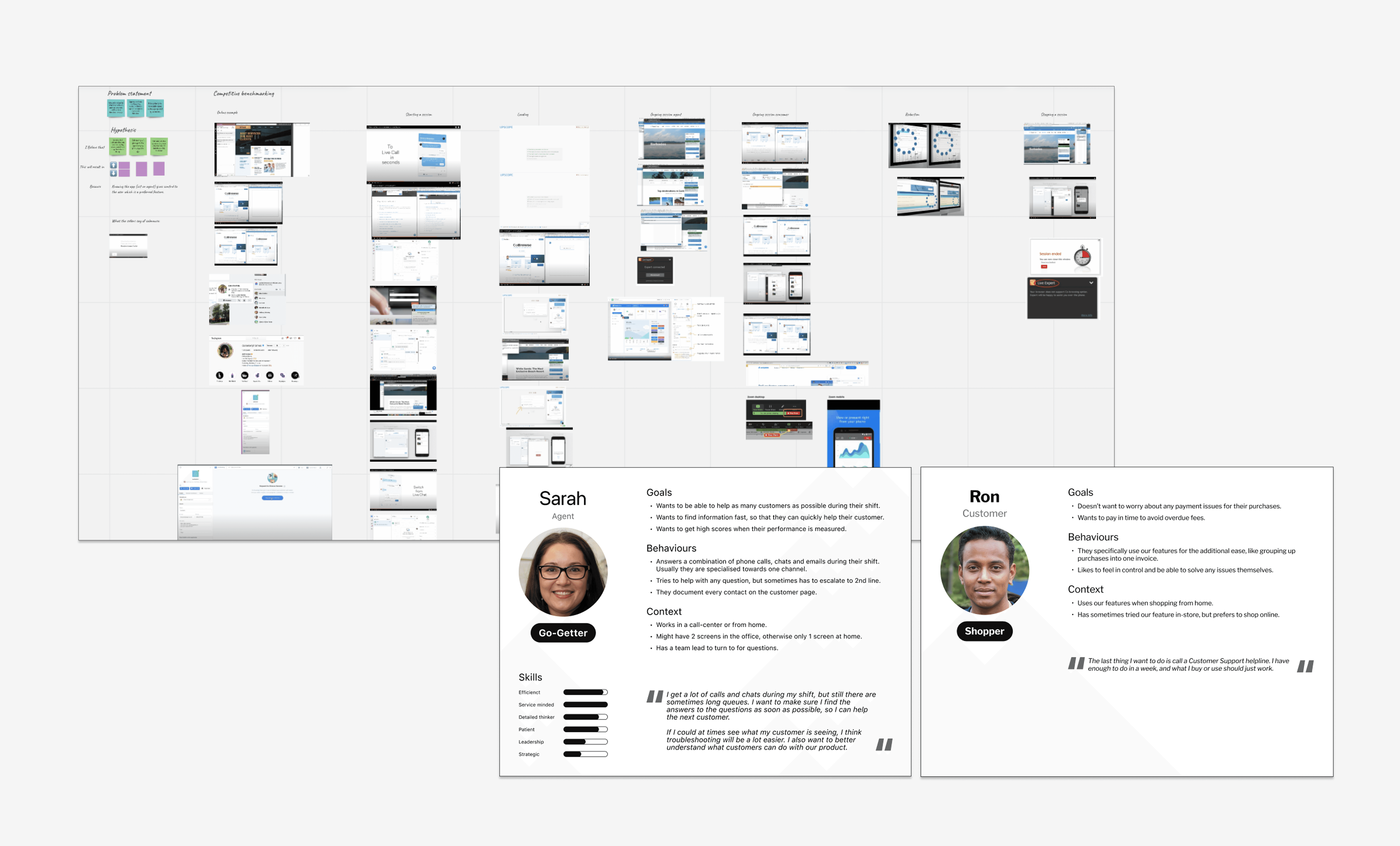
During the discovery phase I shadowed US agents and read many chat transscripts to understand the misunderstandings that occured. The customers were already unsure and mostly wanted to make sure they would pay their bills in time. Therefore the solution had to be very straightforward and instill trust.
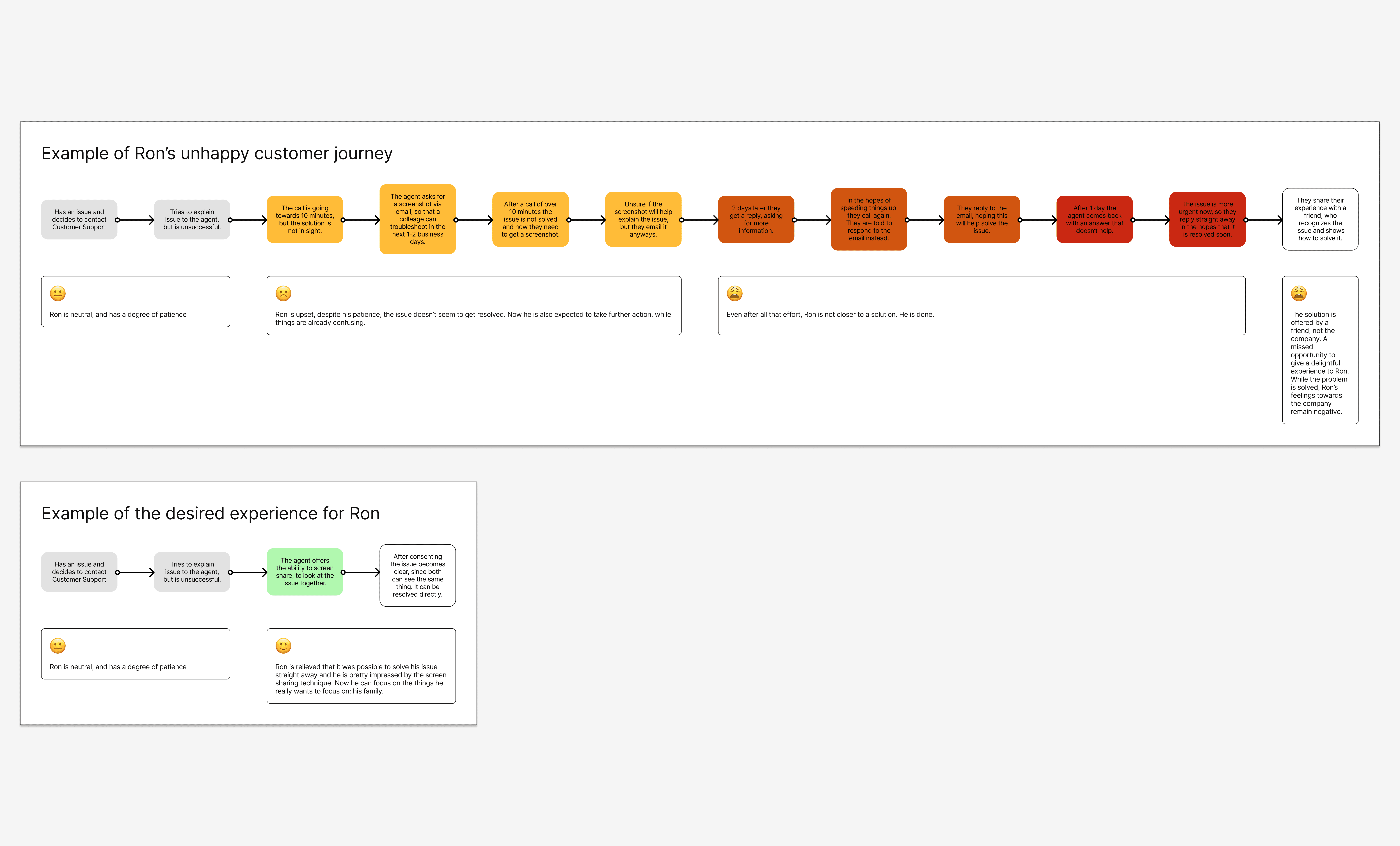
I also mapped out the current customer experience and the desired one, with the help of stakeholders and my crafted personas. To make sure the feature felt intuitive and easy, I analysed how other companies had solved the same problem by doing a competitive benchmarking analysis.
Iterations
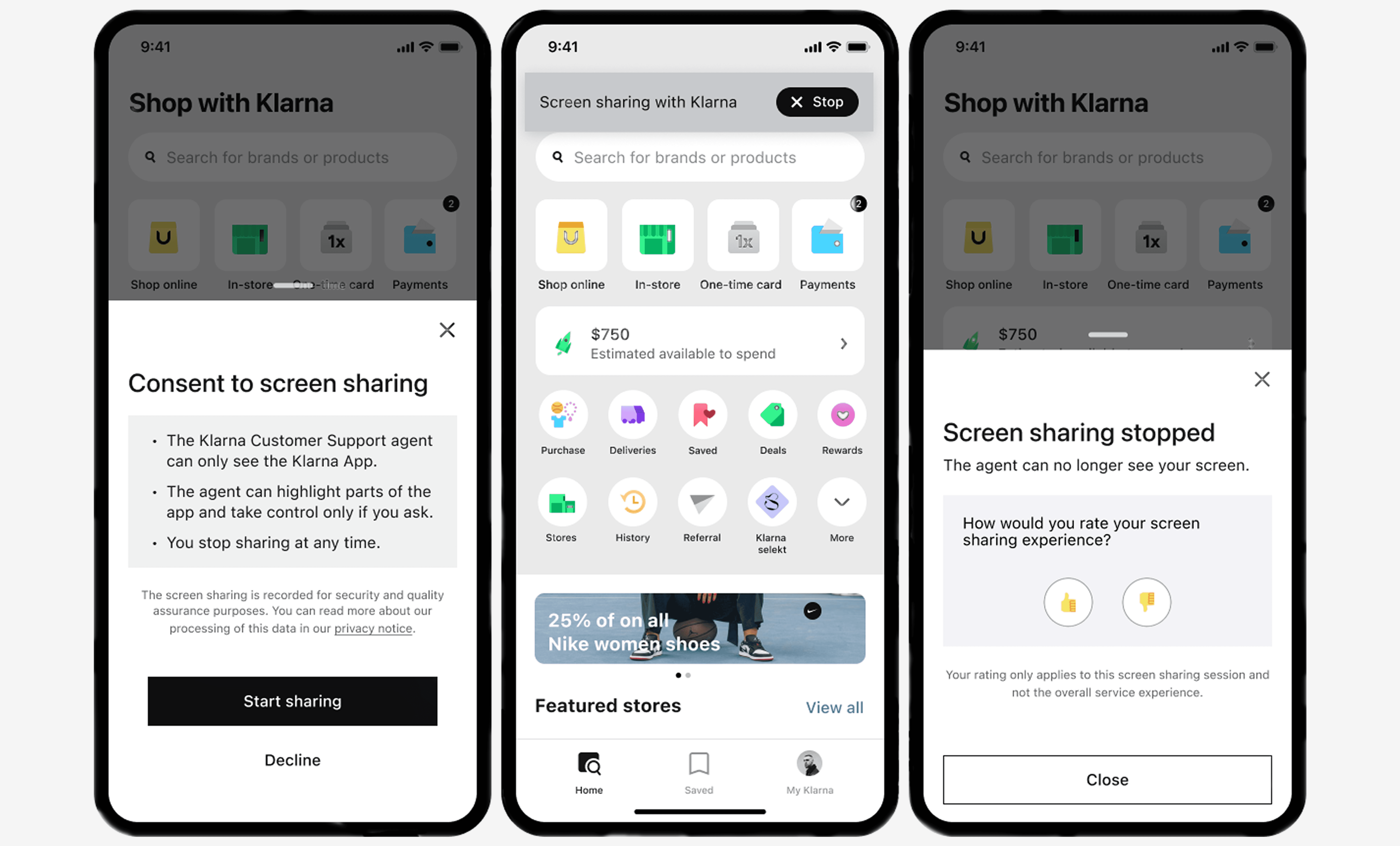
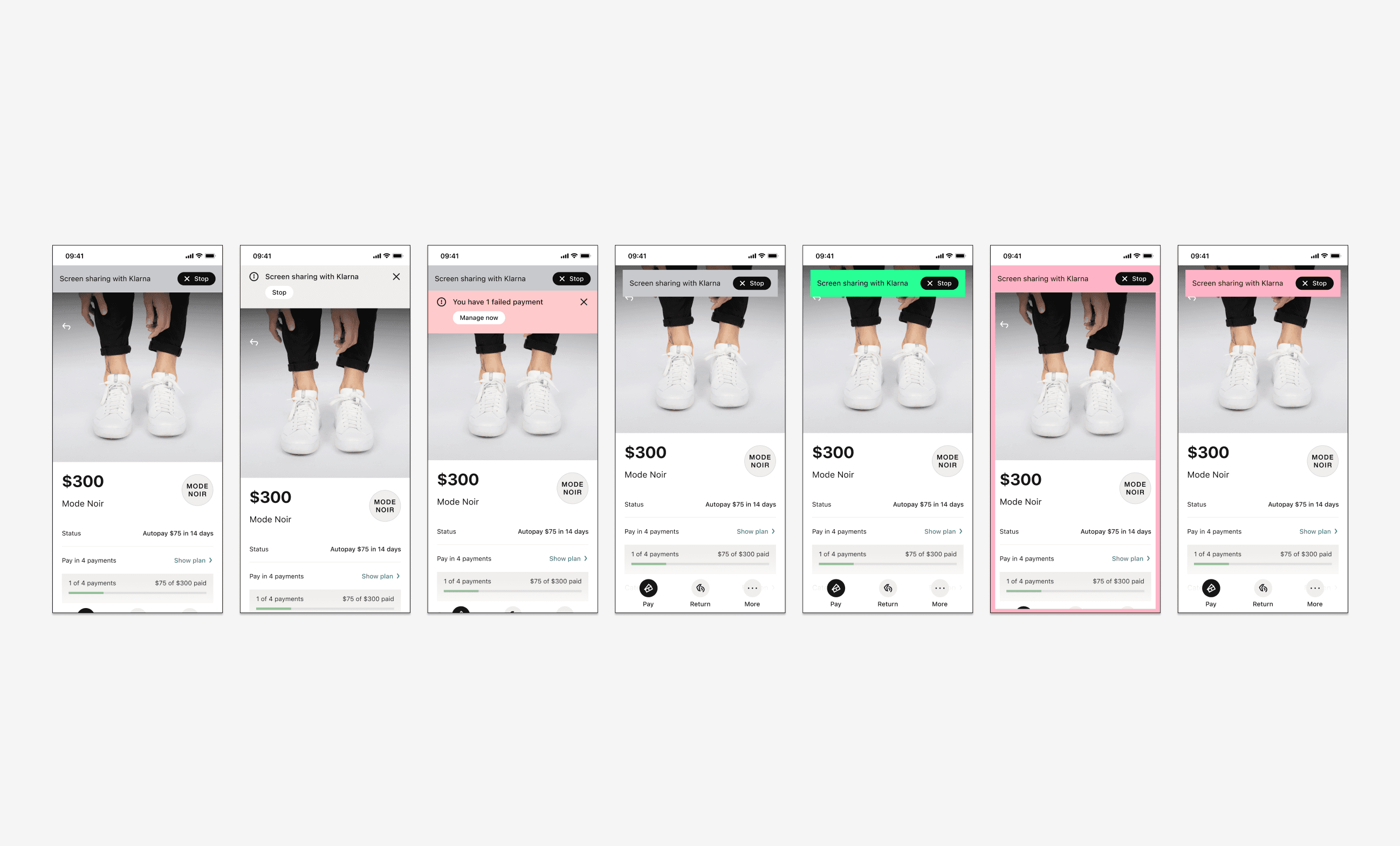
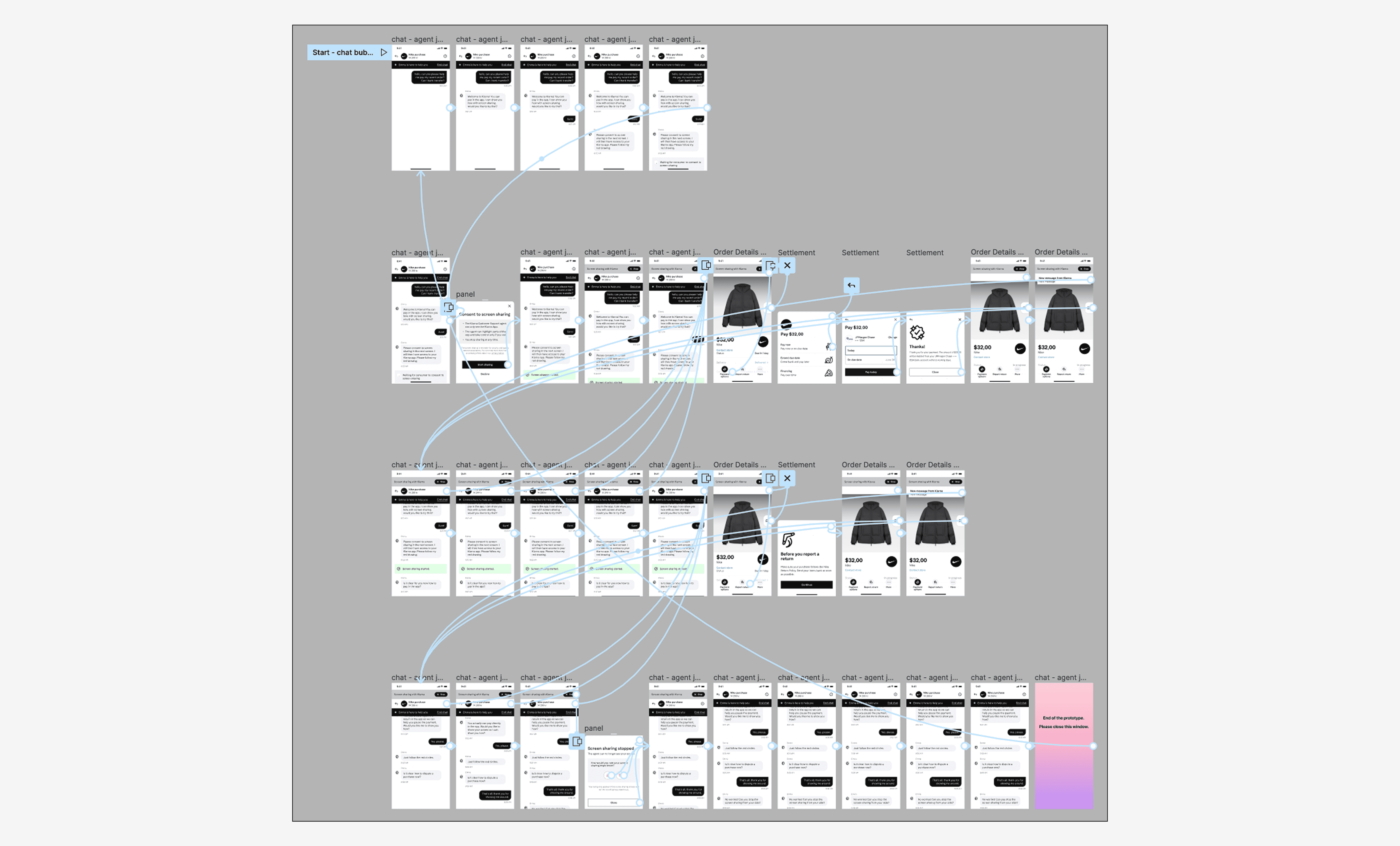
I explored different solutions, iterating on the banner position, colour and in combination with other banners that could pop up like error messages. I validated the designs with moderated usability testing and asking the user to perform the task of accepting a screensharing session in a Figma prototype.
Solution
The final solution had copy that was finalised together with legal and a copy writer. We also included a review option for customers, so we could monitor the CSAT during this pilot.
Learnings
While it seems a pretty straightforward function, specially in the middle of the Corona pandemic, it was still challenging to find the correct place for the screensharing banner in the app. That was because the app was already quite "full". Also ensuring customers were feeling comfortable enough to screenshare was a challenge. The copy iterations took as long as the design iterations to help get that right.
Next steps
The pilot was deemed successful and the function was therefore made available across all markets.